Skip to product information

⚡ DockVision™ Smart Display USB-C Hub – One Cable, Your Complete Desktop Setup
⚡ DockVision™ Smart Display USB-C Hub – One Cable, Your Complete Desktop Setup

Regular price $47.99
Regular price $47.99 Sale price
SAVE Liquid error (snippets/price line 119): Computation results in '-Infinity'% Sold out

BUNDLE & SAVE

 
add_shopping_cart

-

Ordered

local_shipping

- - -

Order Ready

redeem

- - -

Delivered

⚡ DockVision™ Smart Display USB-C Hub – One Cable, Your Complete Desktop Setup

⚡ DockVision™ Smart Display USB-C Hub – One Cable, Your Complete Desktop Setup

Regular price $47.99
Regular price $47.99 Sale price
SAVE Liquid error (snippets/price line 119): Computation results in '-Infinity'% Sold out
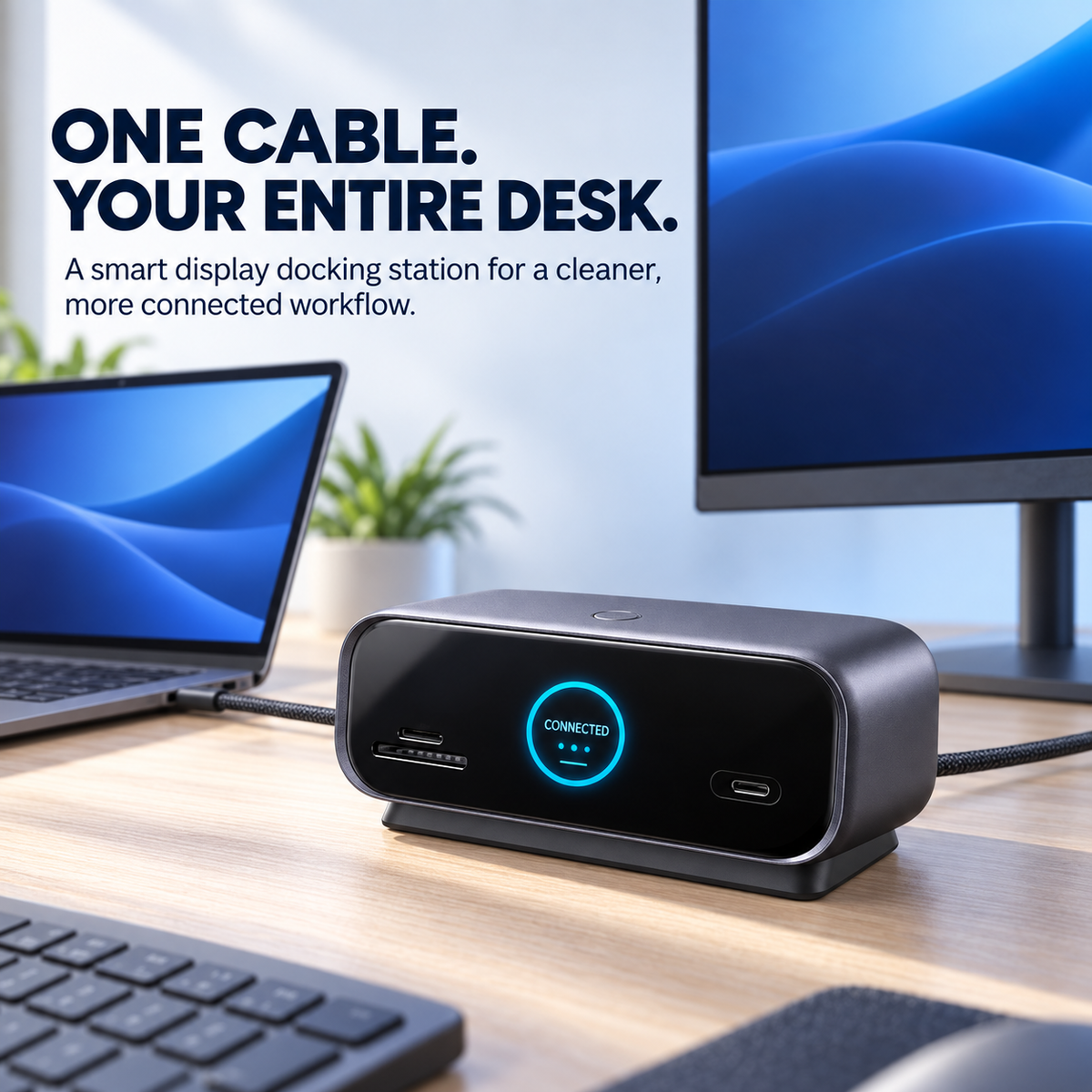
Smart display USB-C docking station connected to a laptop and desktop monitor
SMART DISPLAY USB-C DOCK

One Cable. Your Entire Desk.

Bring compatible displays, storage cards, USB accessories, wired networking and supported power delivery together around one smarter USB-C connection.
◉ Smart Status Display ⚡ Multi-Port Connectivity ✦ Cleaner Desk
SMART DISPLAY HDMI DISPLAYPORT USB-C + USB-A SD + MICROSD GIGABIT ETHERNET
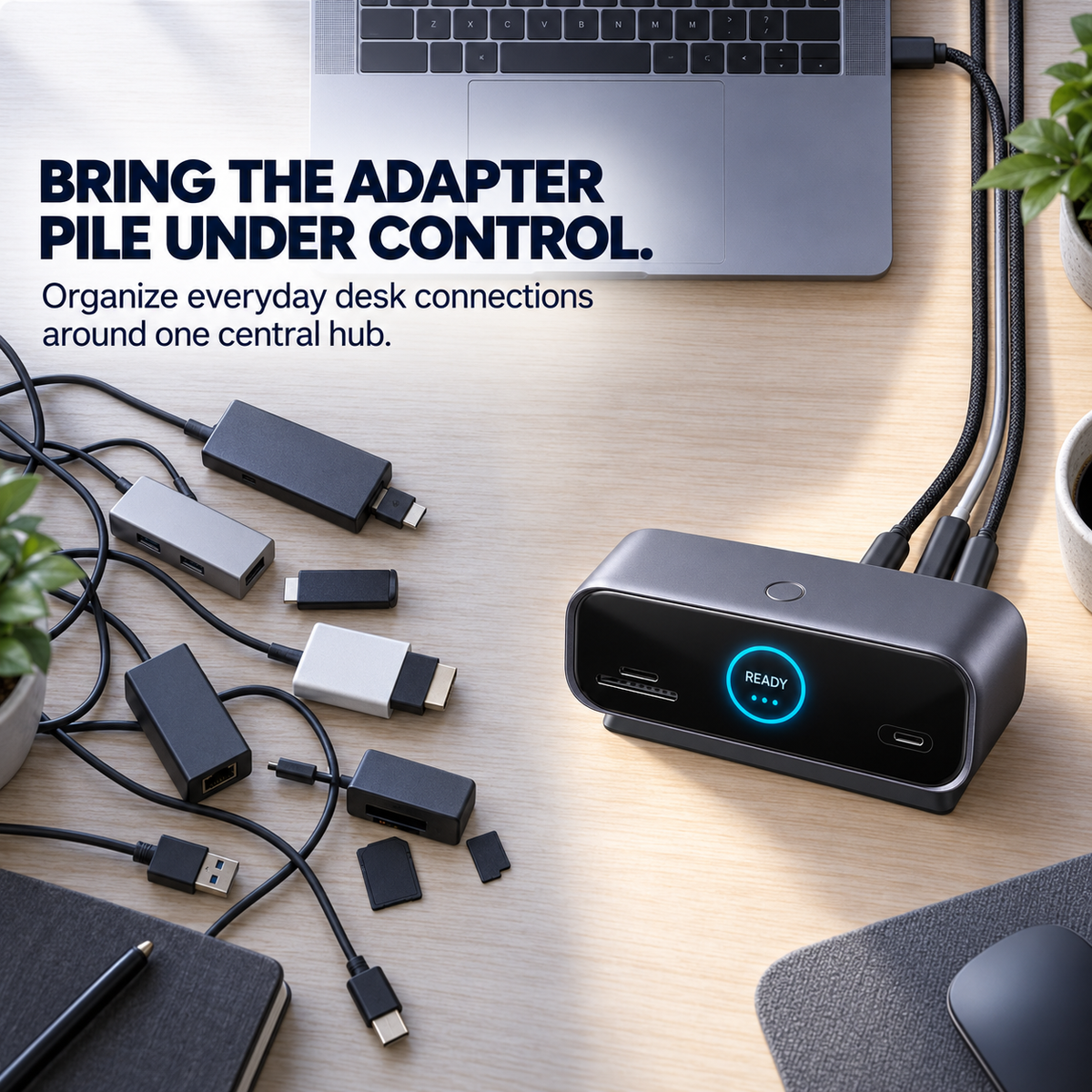
Multiple desk adapters compared with one central USB-C docking station
LESS ADAPTER CLUTTER

Your Laptop Is Powerful. The Adapter Pile Isn't.

A monitor adapter here. A card reader there. Another hub for USB. Another connection for Ethernet. A portable laptop can quickly create a surprisingly complicated desk.

Bring everyday desk connections around one central hub. Keep your compatible desktop accessories organized around one USB-C host connection instead of rebuilding the setup one adapter at a time.
ONE CONNECTION

Connect Once. Get Back to Work.

Build your desktop around the dock, then reconnect a compatible laptop through the USB-C host connection when it's time to work.
🖥️
Displays Connect compatible external screens through HDMI or DisplayPort.
💾
USB Accessories Bring compatible storage and everyday USB devices into the same setup.
📸
Media Cards Access compatible SD and microSD media directly from the front.
🌐
Wired Network Connect the desk to a compatible Gigabit Ethernet network.
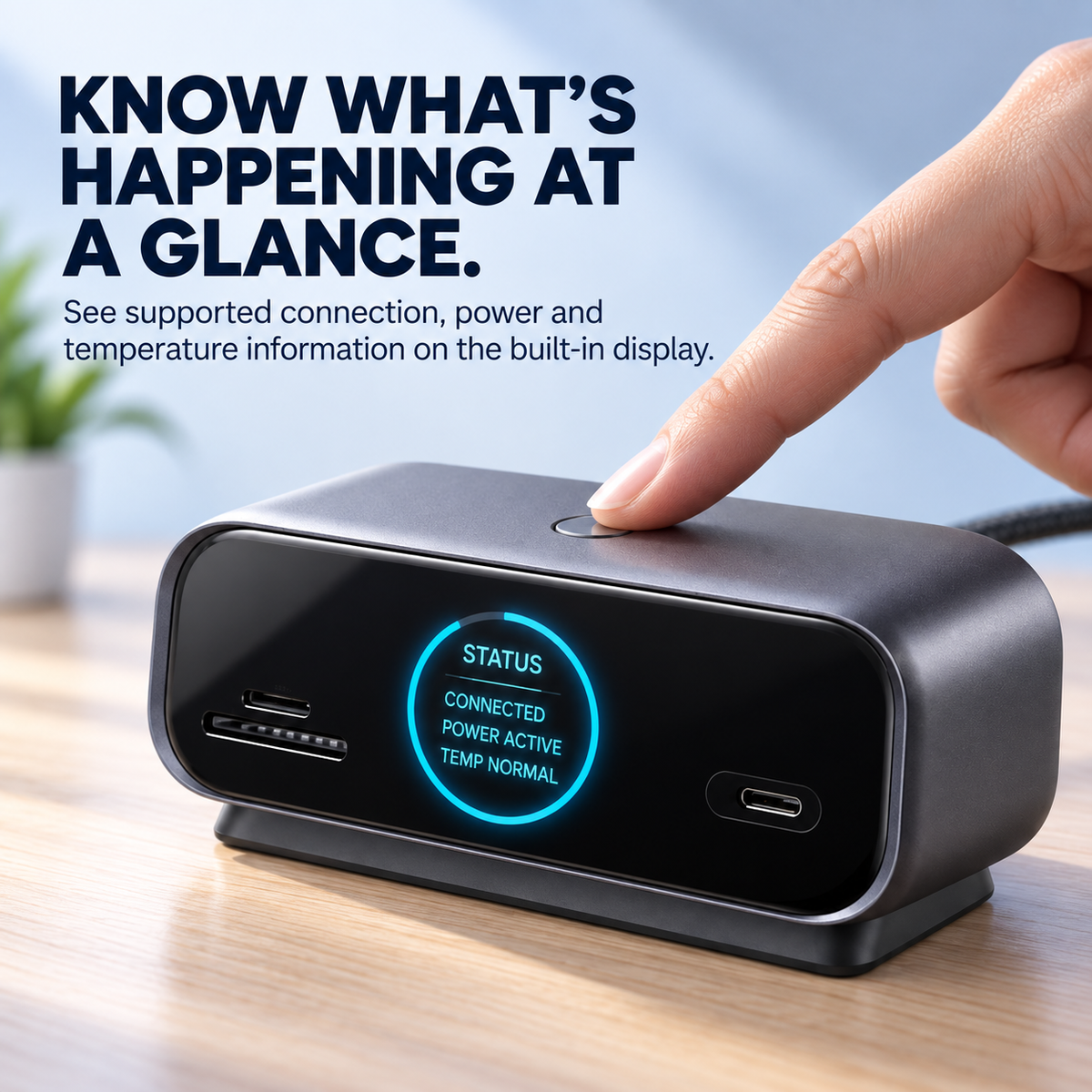
Built in smart status display on USB-C docking station
MORE THAN A POWER LIGHT

Most Hubs Give You Ports. This One Gives You Feedback.

The integrated color display provides visible supported connection, power and operating information, while the top-mounted control button lets you move through available display pages.
◉ Connection Status View supported device and connection information at the dock.
⚡ Power Information See supported input and output power information when available.
🌡️ Operating Information View supported temperature and operating information on the built-in display.
● Top Control Button Move through available status pages directly from the dock.
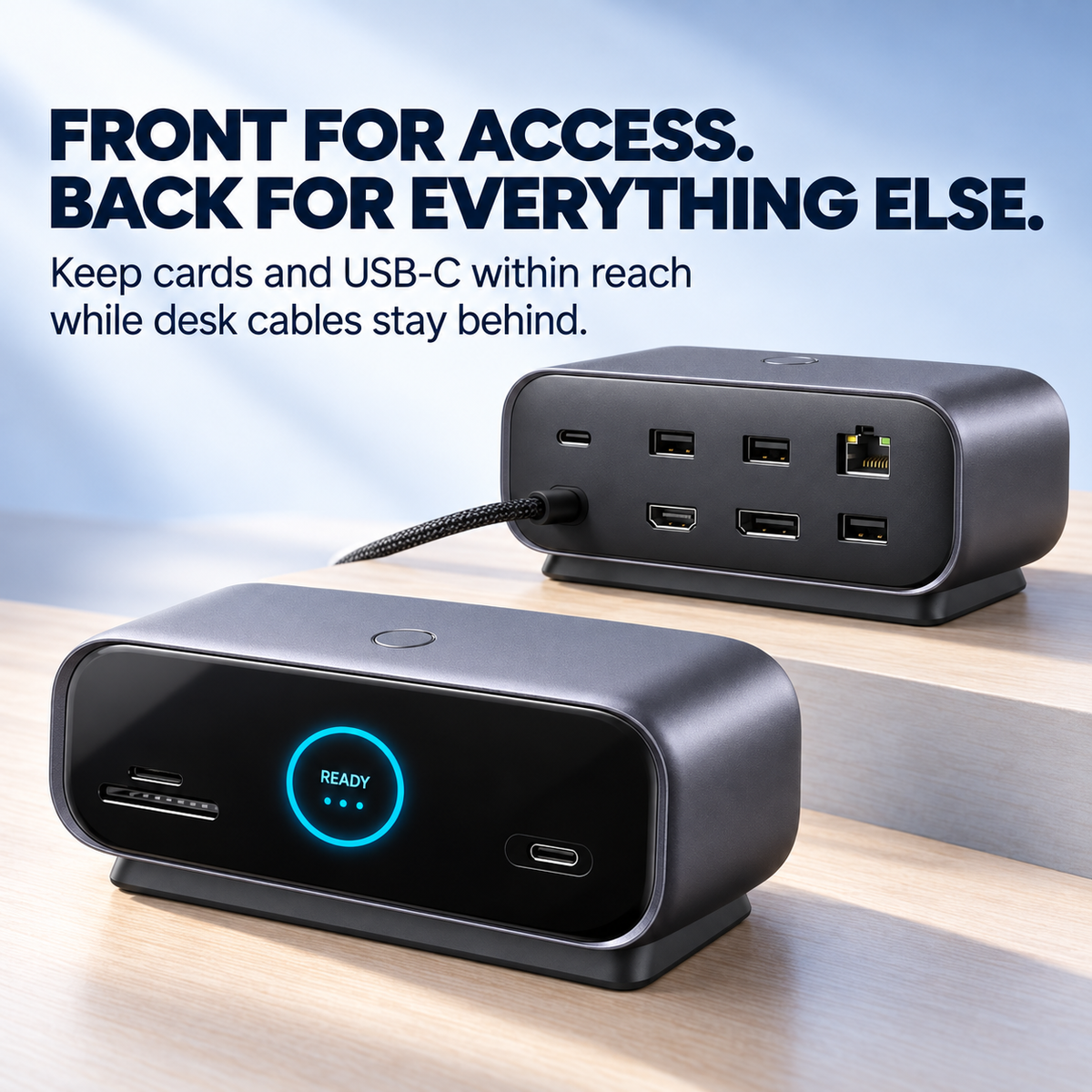
Front and rear connections of smart display USB-C docking station
DESIGNED AROUND THE DESK

Front for Access. Back for Everything Else.

Frequently accessed media and USB-C connectivity stay up front, while display, network, USB and power connections can remain organized toward the rear.
FRONT ACCESS Keep Everyday Access Within Reach SD card • microSD/TF card • USB-C data • smart status display • display control
REAR CONNECTIONS Keep the Desktop Connected Behind HDMI • DisplayPort • USB-A • Gigabit Ethernet • USB-C power input • USB-C host connection
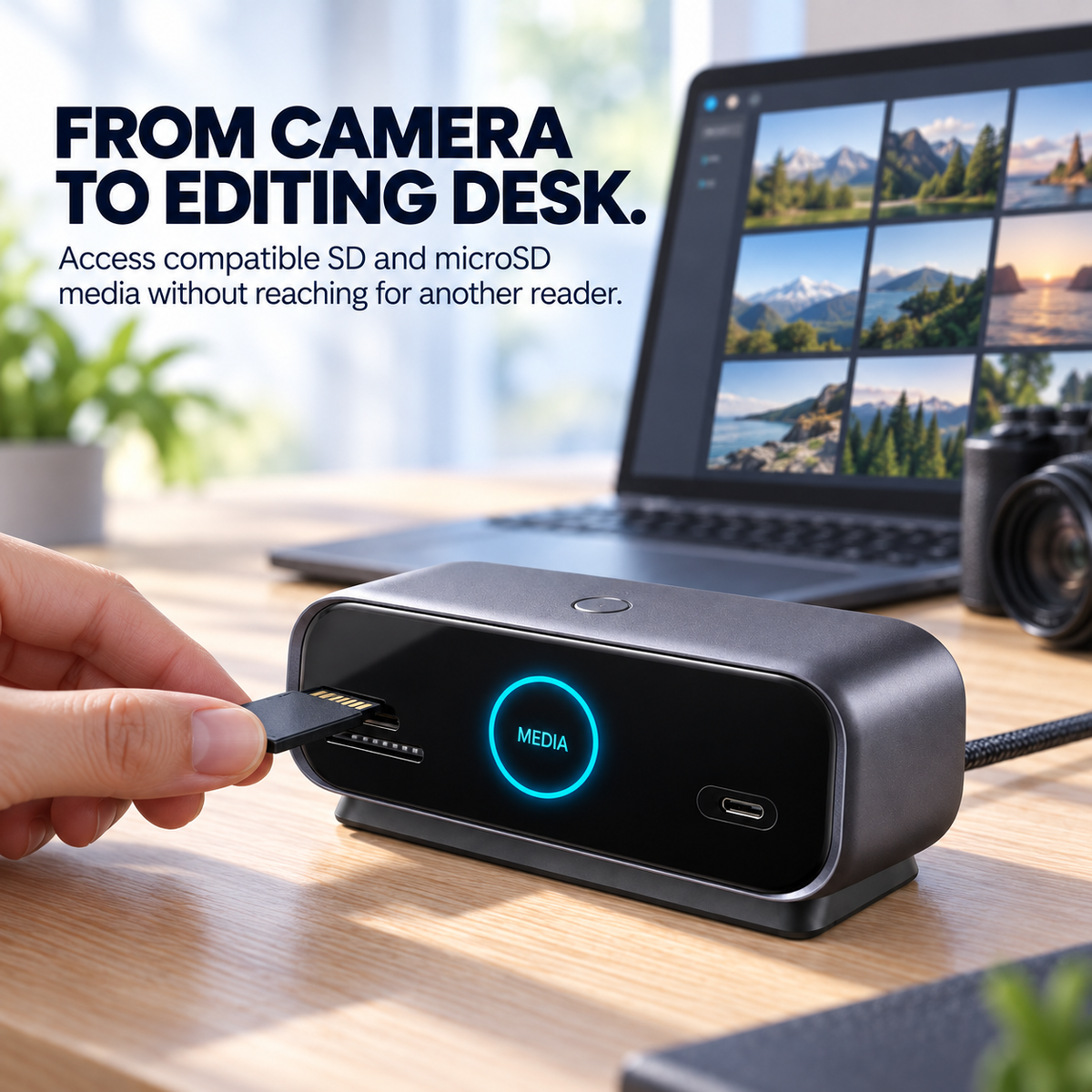
SD memory card being inserted into smart display USB-C docking station for creative workflow
CREATIVE WORKFLOW

From Camera to Editing Desk.

Access compatible SD and microSD media without reaching for a separate card reader, then keep compatible storage and external display connections centered around the same desktop dock.
📸 Import Media Access compatible camera and recording media through SD or microSD.
🖥️ Edit on a Larger Display Connect a compatible external screen for a larger creative workspace.
💾 Keep Storage Connected Use compatible USB storage alongside the rest of your desk setup.
🎬 Centralize the Workflow Reduce the need to reach for a different adapter at each stage of the project.
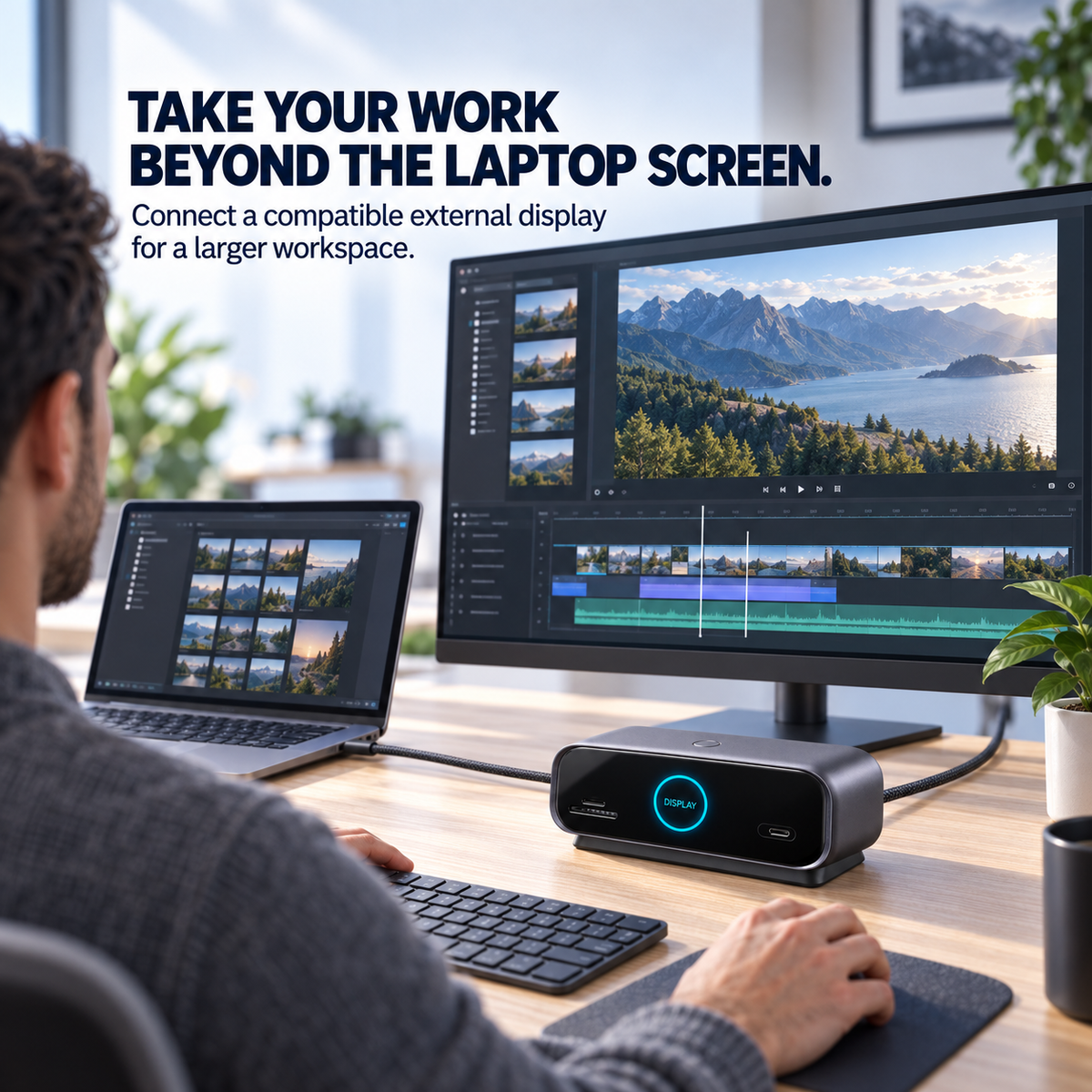
Laptop connected through docking station to compatible external monitor
MORE SCREEN SPACE

Take Your Work Beyond the Laptop Screen.

Connect compatible external displays through HDMI or DisplayPort for editing, multitasking, presentations and a larger desktop workspace.

Portable when you leave. Desktop-ready when you return. Build a workstation around your compatible USB-C laptop without giving up the mobility that made you choose a laptop in the first place.
CONNECT IMPORT DISPLAY CREATE SYNC UNPLUG
BUILT AROUND MODERN WORK

One Dock. Different Ways to Work.

Build a more organized connection point for the desk whether you're importing footage, working from home or moving between office and portable setups.

🎬 Content Creation Bring compatible media cards, storage and display equipment into one creative setup.
💼 Home Office Organize everyday desktop connections around a compatible USB-C laptop.
📊 Multi-Screen Work Use compatible external displays for additional workspace where supported by the host system.
🧳 Hybrid Work Leave compatible desk accessories connected to the dock and reconnect the laptop when you return.
A SIMPLER DESK ROUTINE

Arrive. Connect. Work.

1
Build the Desk Connect compatible displays, networking, USB accessories and power to the dock.
2
Connect the Laptop Attach a compatible USB-C host connection when you sit down to work.
3
Unplug & Go Disconnect the host connection when it's time to take the laptop away from the desk.
CHECK BEFORE ORDERING

USB-C Is the Connector. Compatibility Is the Capability.

A USB-C port does not automatically guarantee video output, host charging or every possible data feature. Your laptop's USB-C capabilities determine what the dock can use.

🖥️ Video Support Confirm that the host USB-C port supports the display functions you intend to use.
⚡ Charging Support Host charging depends on compatible USB-C power input, the host device and the power source.
💾 Data Capability Actual transfer performance depends on the host, connected device, media and cable.
📊 Display Behavior Resolution, refresh rate and multi-monitor modes depend on the laptop, operating system and connected displays.
PRODUCT HIGHLIGHTS

More Than Ports. A Better-Organized Workflow.

◉ SMART DISPLAY See Supported Status at a Glance

The integrated display provides visible supported connection, power and operating information.

🖥️ DISPLAY CONNECTIVITY Move Beyond the Laptop Screen

HDMI and DisplayPort connections support compatible external-display workflows.

📸 SD + MICROSD Bring Media Access to the Front

Access compatible storage cards without adding a separate card reader to the desk.

💾 USB CONNECTIVITY Keep Everyday Accessories Connected

USB-C and USB-A data connections bring compatible storage and peripherals into the setup.

🌐 GIGABIT ETHERNET Add a Wired Network Connection

Connect to a compatible wired network through the dock's Gigabit Ethernet interface.

⚡ USB-C POWER INPUT Support the Desktop Power Workflow

Connect a compatible USB-C power source to support the dock and available host-device charging.

VERIFIED PRODUCT DETAILS

The Connections Your Desk Depends On.

Product Type Smart Display USB-C Desktop Docking Station
Host Connection USB-C
Display Outputs HDMI + DisplayPort
USB Data USB-C + USB-A Connections
Card Access SD + microSD / TF Slots
Networking Gigabit Ethernet
Power Connection USB-C Power Input
Built-In Display Supported Connection, Power & Operating Information
Display Control Top-Mounted Control Button
Compatibility: your host device's USB-C port must support the functions you intend to use. A USB-C connector alone does not guarantee video output, host charging or maximum data performance.
Display performance: available resolution, refresh rate, display arrangement and multi-monitor behavior depend on the host hardware, operating system, cables and connected displays.
Performance specifications: exact maximum video resolution, refresh rate, USB data rate and USB-C charging wattage are not clearly specified in the reviewed listing, so numerical claims are intentionally not invented here.
BEFORE YOU CONNECT

Compatibility First. Cleaner Desk Second.

Does it work with every USB-C laptop?
No. USB-C describes the connector, but available features depend on the host device. Confirm that your laptop's USB-C port supports the data, video and charging functions you intend to use.
What does the built-in display show?
The current product information describes supported connection, power and operating-temperature information. Available display pages may vary according to device state and product version.
Is the built-in screen another computer monitor?
No. It is a dock status display for supported connection, power and operating information. Use HDMI or DisplayPort with a compatible external monitor for desktop video output.
Can I connect external monitors?
The dock includes HDMI and DisplayPort outputs. Actual supported resolution, refresh rate and display modes depend on the host computer, operating system, cables and connected displays.
Can I use two external displays?
HDMI and DisplayPort connections are present, but available multi-display behavior depends on the host hardware and operating system. Confirm your computer's external-display capabilities before ordering.
Does it include SD and microSD card access?
Yes. The current product information lists front-access SD and microSD/TF card slots for compatible media.
Does it have wired Ethernet?
Yes. The product information lists a Gigabit Ethernet connection for use with a compatible wired network.
Can it charge my laptop?
The dock includes USB-C power input and can pass available power to a compatible host setup. Charging capability and available power depend on the host device, compatible power source, cable and product configuration.
Does it come with a USB-C power adapter?
Power-adapter contents are not clearly established for every package in the reviewed listing. Check the selected package contents before ordering rather than assuming a wall charger is included.
Is it a 4K or 100W dock?
Exact maximum display resolution, refresh rate and charging wattage are not clearly specified in the reviewed product information, so those numerical performance claims are not made here.
CONNECT • IMPORT • DISPLAY • CREATE

Turn One Laptop Connection Into a Smarter Desk.

Bring compatible displays, cards, USB accessories, wired networking and supported power together around one central desktop dock—with useful status information visible right up front.

Build a Smarter Desk ↓
◉ Smart Display 🖥️ HDMI + DisplayPort 📸 SD + microSD 🌐 Gigabit Ethernet
View full details