


🎮RetroPlay™ GV300 Mini Retro Game Console – 308 Games, 2.8" IPS & Wireless Controller
🎮RetroPlay™ GV300 Mini Retro Game Console – 308 Games, 2.8" IPS & Wireless Controller

BUNDLE & SAVE
Couldn't load pickup availability

🎮RetroPlay™ GV300 Mini Retro Game Console – 308 Games, 2.8" IPS & Wireless Controller
Give Your Downtime a Playful Little Upgrade.
A tiny TV look with a game console inside. Enjoy a built-in 2.8" IPS screen, a 308-game collection and an included wireless controller—all in a compact setup for your desk or side table.
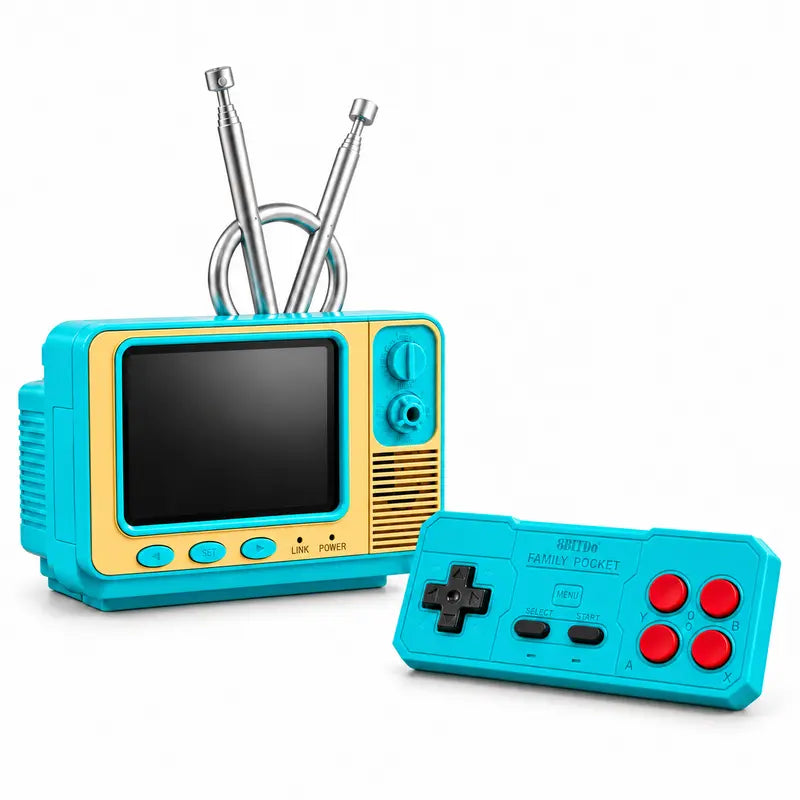
Your Desk Has Room for More Than Work.
Set down your phone, pick up the controller and give your next break a different rhythm. The miniature television design brings a cheerful retro touch to the places you already spend time.
Keep it on a desk for a solo game, move it to a side table for a relaxed evening, or take turns chasing a better score with a friend.
One Little Console. Plenty to Explore.
The included TF card holds the listed 308-game collection, giving you a selection to browse whenever you feel like a change.
Find a favorite, revisit it later, or choose something different for your next break. Keep the supplied card with the console so the game collection stays close at hand.
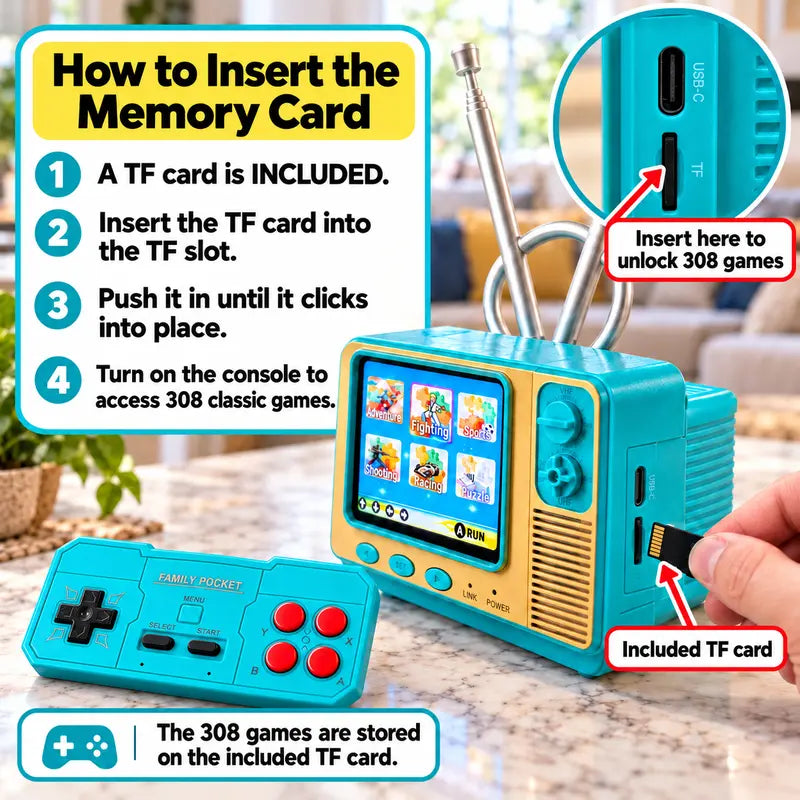
The Screen Stays on the Table. The Controller Stays With You.
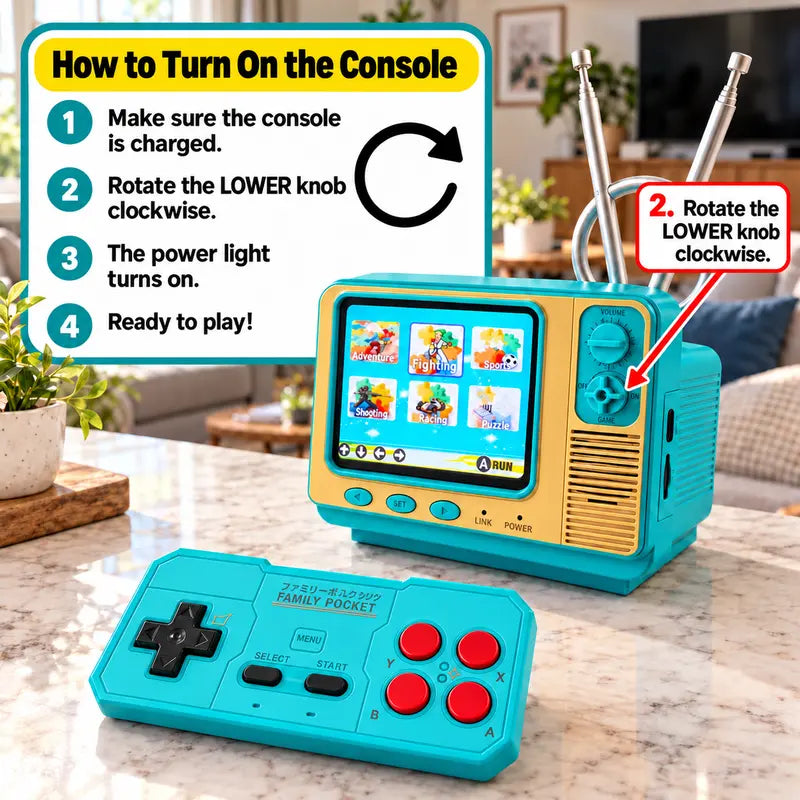
Play on the console’s built-in display while holding the separate wireless controller. There is no need to use a larger TV for the built-in-screen experience.
Charge the console as directed, use the lower rotary knob to power it on, and follow the included instructions to pair the controller before choosing a game.
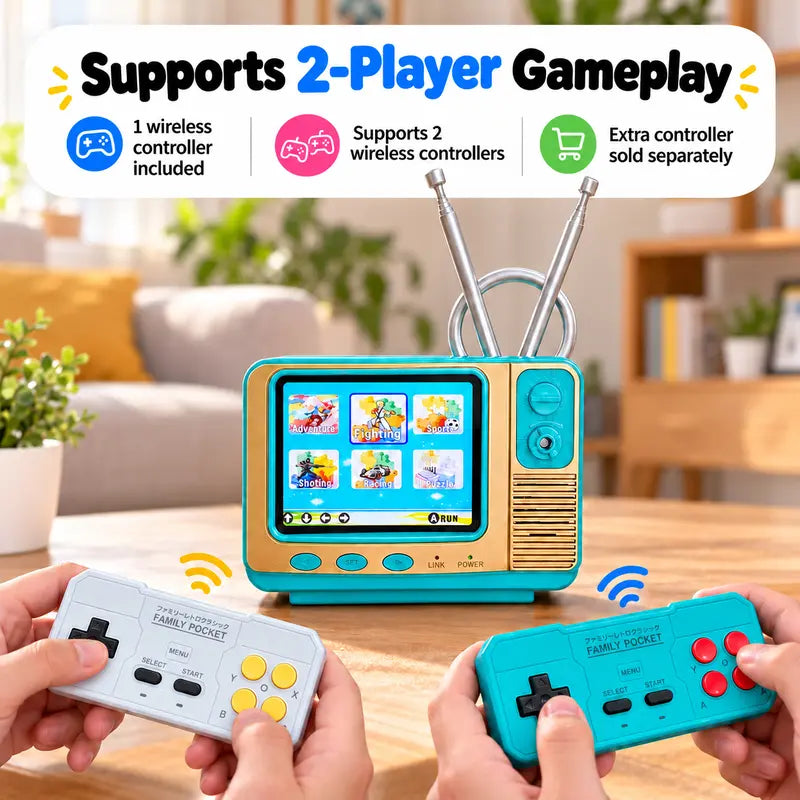
Make Your Next Round a Shared One.
Pass the included controller between turns, or add a second compatible wireless controller for supported two-player games.
It is a playful way to bring a little competition to a quiet evening, a catch-up with friends or a weekend at home.
A Small Charging Detail Worth Getting Right.
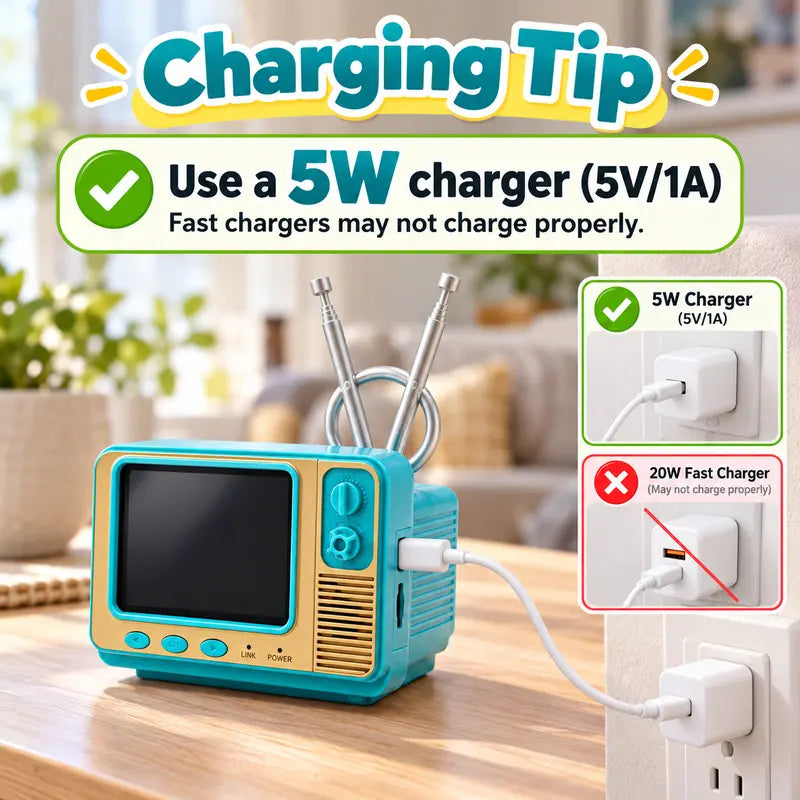
Use a 5V/1A USB charger, as specified in the product’s charging guidance.
The listing notes that fast chargers may not charge the console properly. Check your adapter’s output and follow the supplied charging instructions before use.
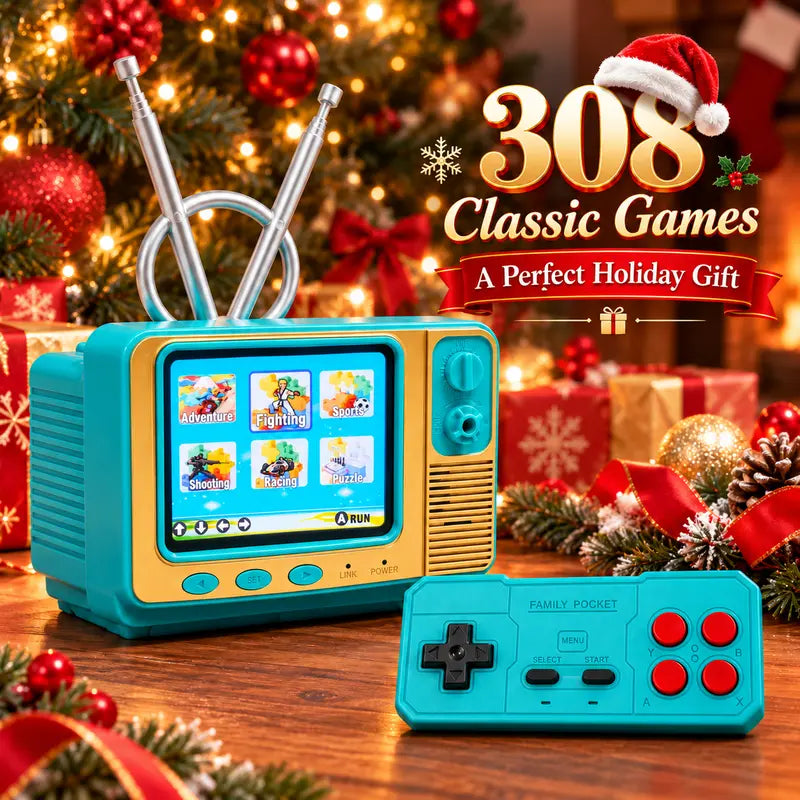
A Gift They Can Play With—and Leave on Display.
The retro television shape makes an impression before the first game begins. Once it is switched on, the gift becomes something they can keep coming back to.
A thoughtful pick for retro gaming fans, playful desk setups and anyone who enjoys a little nostalgia with their downtime.
Little Details That Make It Fun to Own.
Your Own Small Gaming Corner
The 2.8" IPS screen is built into the console, keeping the display and game unit together in one compact piece.
Change Games With Your Mood
Explore the listed 308-game collection on the included TF card when you are ready to try something different.
Keep the Console in View
The included wireless controller lets the console sit on your table while you hold the controls.
Enjoy It Between Games, Too
The miniature TV shape and colorful finish add personality to a desk, shelf or gift presentation.
Meet Your Mini Game Setup.
| Model | GV300 |
|---|---|
| Product Type | Mini TV-style desktop game console |
| Display | 2.8" IPS screen |
| Game Collection | 308 games, as listed by the seller |
| Game Storage | Included TF memory card |
| Controller Included | 1 wireless controller |
| Two-Player Support | Supported with a second compatible controller and a compatible game; extra controller sold separately |
| Charging Guidance | 5V/1A USB charger, following the supplied instructions |
| Design | Retro television styling with a turquoise and yellow finish |
Ready for Your First Round?
Do I need a separate television to play?
No separate television is needed to use the built-in 2.8" IPS screen. The console has its own display.
Where are the games stored?
The listing states that the 308-game collection is stored on the included TF memory card. Follow the supplied instructions when inserting or handling the card.
Are two controllers included?
No. The package includes one wireless controller. A second compatible controller is sold separately for supported two-player games.
Which charger should I use?
Follow the product guidance and use a 5V/1A USB charger. The listing notes that fast chargers may not charge the console properly.
How do I connect the wireless controller?
Turn on the console and follow the pairing steps in the supplied manual. Keep the controller near the console during initial setup.
Is a specific game title guaranteed?
The listing states a collection of 308 games but does not provide a complete verified title list. If a particular title matters to you, confirm its inclusion before ordering.
Make Space for One More Round.
Bring a playful retro touch to your own desk—or give someone a small surprise they can switch on and enjoy.
Choose Your Mini Game Console ↑


