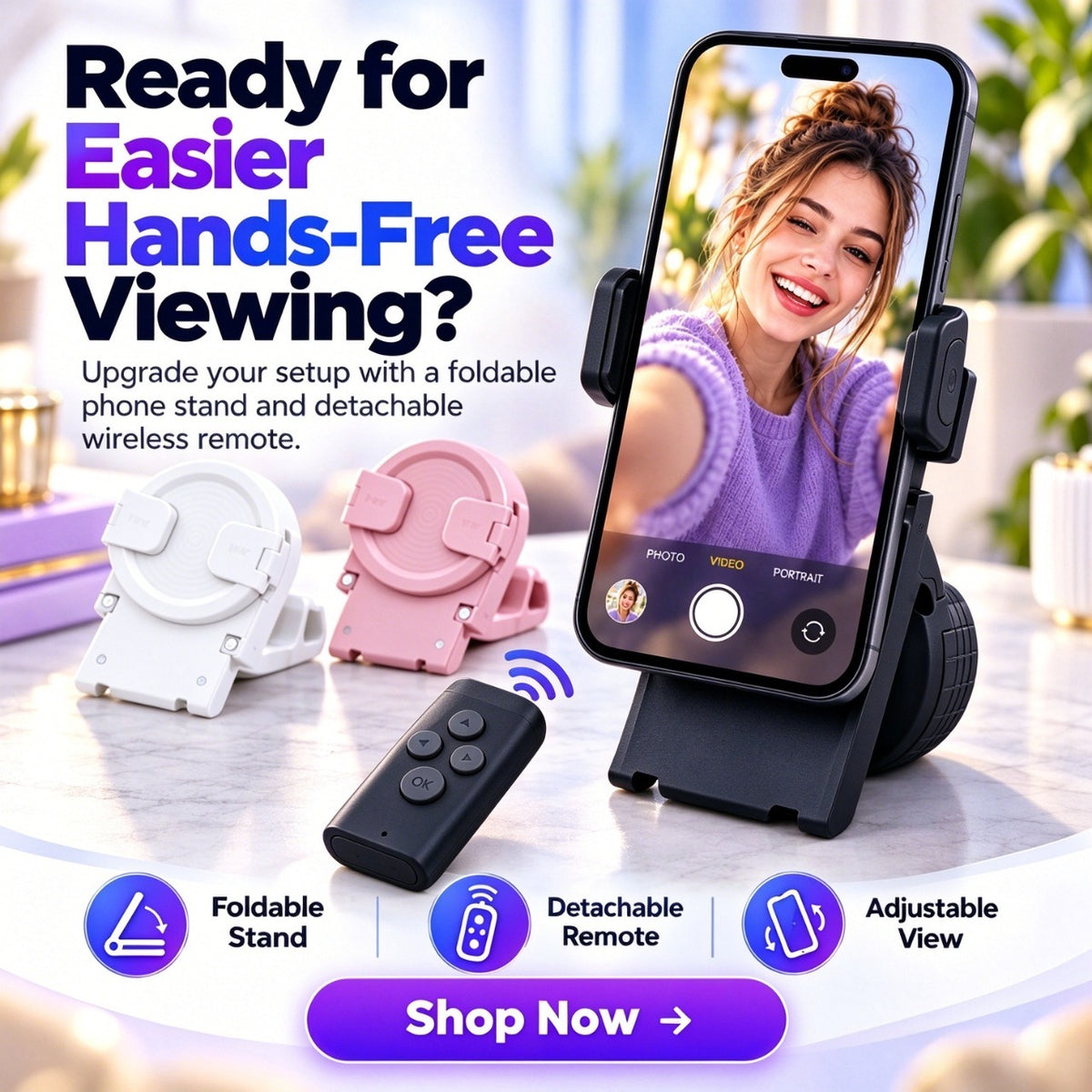
ClickView™ Foldable Phone Stand with Wireless Remote – Hands-Free Viewing & Control
ClickView™ Foldable Phone Stand with Wireless Remote – Hands-Free Viewing & Control
BUNDLE & SAVE
Couldn't load pickup availability
-
Ordered
- - -
Order Ready
- - -
Delivered

ClickView™ Foldable Phone Stand with Wireless Remote – Hands-Free Viewing & Control
Set Your Screen. Stay Comfortable. Control From Your Seat.
ClickView™ combines an adjustable foldable phone stand with a detachable wireless remote so watching, scrolling and recording can feel less dependent on constantly reaching for the screen.

You Put The Phone Down. So Why Are You Still Reaching For It?
A basic stand frees your hand from holding the phone — but every supported pause, scroll or recording action can still pull you back toward the screen.
ClickView™ adds a detachable remote to the setup so the phone can stay where the viewing angle feels right while supported controls stay closer to you.

Open. Dock. Control.
The whole point is to make your phone easier to use from a comfortable distance — not to give you another complicated device to set up.

Adjust The Phone — Not Your Whole Body.
The stand combines an adjustable support, side grips, folding hinge and separate remote so you can build a more comfortable tabletop phone setup.

Desk. Kitchen. Vanity. Bedside.
ClickView™ is most useful in the moments when you want to see or use your phone without keeping it in your hand.

A Hands-Free Setup That Fits Into Your Space.
Fold it down when you are finished, set it back up when your phone becomes the screen again, and choose from the three finishes currently shown on the live product page.

Less Holding. Less Reaching. A More Comfortable Phone Setup.
Keep your phone in a consistent desktop position for viewing, calls and everyday content.
The detachable wireless remote is designed for supported actions such as video control, scrolling and recording-related use.
Change the viewing position around watching, calling or recording instead of adjusting your entire posture around the phone.
The hinged base folds down to make the stand easier to put away or carry between setups.
What We Can Confirm.
| Product Type | Foldable Desktop Phone Stand With Wireless Remote |
|---|---|
| Remote | Detachable Wireless Remote |
| Viewing Position | Adjustable Viewing Angle |
| Phone Support | Side-Grip Holder Design |
| Base | Foldable Hinge Base |
| Orientations Shown | Portrait + Landscape Use |
| Current Colors | Black • White • Pink |
| Great For | Desk • Video Calls • Watching • Kitchen Recipes • Content Recording • Bedside Viewing |
A Few Things To Know About The Stand And Remote.
What does the wireless remote control?
Current product creative presents the remote for supported video control, scrolling and recording-related phone use. Exact button behavior can vary by device, operating system and app.
Does the remote work with every app?
Universal app compatibility is not currently published. Some remote functions may depend on how the individual app and phone operating system handle external controls.
Does it work with both iPhone and Android?
A verified model-by-model iOS and Android compatibility list is not currently published on the product page. Confirm the final supplier instructions before advertising universal smartphone compatibility.
How do I connect the remote?
Current creative instructs the user to connect the wireless remote after placing the phone in the stand. Follow the pairing procedure supplied with your final product for the exact connection steps.
What phone sizes fit?
The product uses side grips, but a verified minimum and maximum phone-width specification is not currently published. Check final dimensions before claiming that every phone or phone case will fit.
Can I use my phone horizontally?
Yes. Current product imagery explicitly shows both portrait and landscape configurations for different viewing scenarios.
Can I adjust the viewing angle?
Yes. Adjustable viewing angle is one of the features specifically identified in the current product creative.
Is the remote rechargeable?
The remote battery type and charging method are not clearly specified in the current published product information, so this page does not make a rechargeable-remote claim.
Which colors are currently available?
The current live selector lists Black, White and Pink.
Stop Reaching Back For The Screen.
Give your phone a stable place to stay, find a more comfortable viewing angle and keep supported controls closer to wherever you are already sitting.
Choose Your ClickView™ Color ↑